Free on one device · Premium for $12/year, flat

A calm to-do list.
No AI. One tiny price.

Tickbase is a fast, private, no-nonsense to-do app for people who just want to get things done. Type a task in plain English, hit enter, move on.

No account needed. Works offline. Export everything as JSON any time.

No AI features, ever No ads, no tracking Works offline Sync is encrypted on your device JSON export any time Delete your account in one tap
Why Tickbase

A to-do app that stays out of your way

Most task apps keep growing: more tiers, more upsells, more “smart” features. Tickbase is fast, works offline, and is built to stay small and honest. Four things set it apart.

About a quarter of the price

Premium is $12 a year, flat, against $49.99 for TickTick Premium. No tiers, no per-seat pricing, no dark patterns when you cancel.

No AI. Ever.

No assistants, no summaries, no “AI credits”. Tickbase will never read your tasks to train or feed a model. It's a to-do list, and that's the point.

Encrypted at rest

With Premium, every task is encrypted on your device with a per-user key before upload, so our database holds only ciphertext. No third-party analytics, no ad networks, no selling data. How it works →

Switch in a minute

Coming from TickTick? Export a backup there, drop the CSV into Settings → Import, and your lists, tasks, dates, priorities and tags come across. Free or Premium, no account needed.

Features

Everything a to-do list needs. Nothing it doesn't.

Every feature below is in the free version. Free has a few limits (5 lists, 3 habits, 3 countdowns, 1 reminder per task); Premium lifts them and is the only thing you pay for.

Resolutions

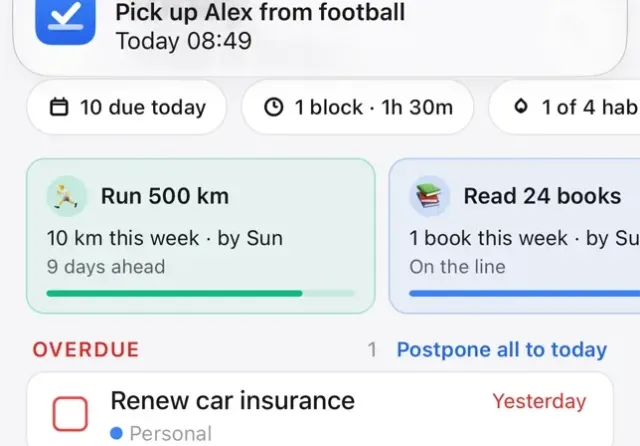
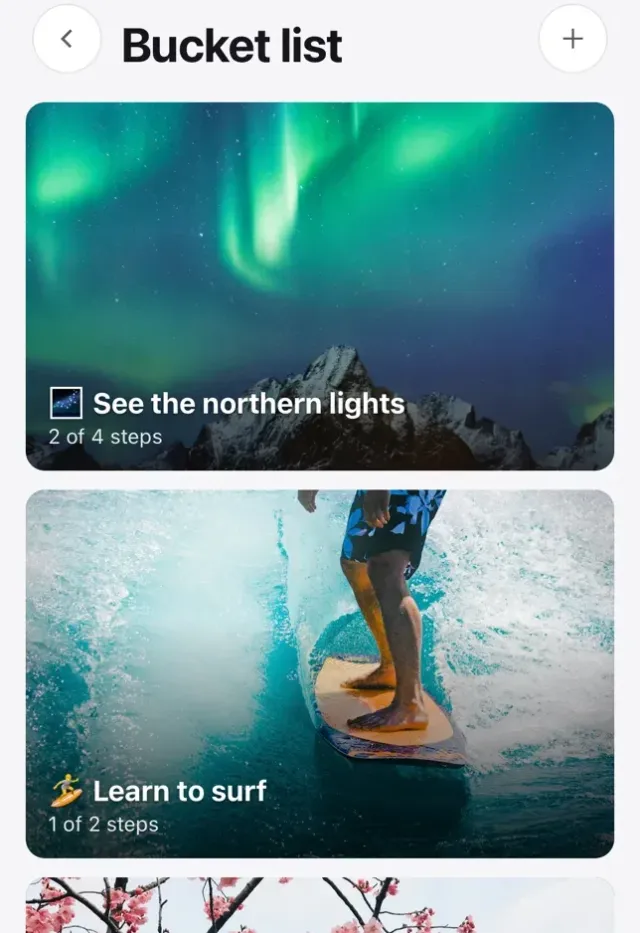
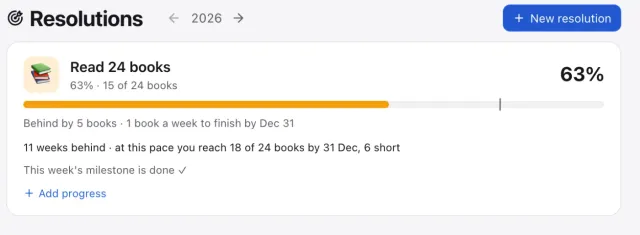
One big goal for the year — 1,200 chapters, 500 km, 24 books — broken into weekly milestones that appear in your list by themselves ("Read One Piece · up to chapter 950"). Tick them off and watch the year fill up; the page tells you when you're ahead or behind pace.

Weekly review

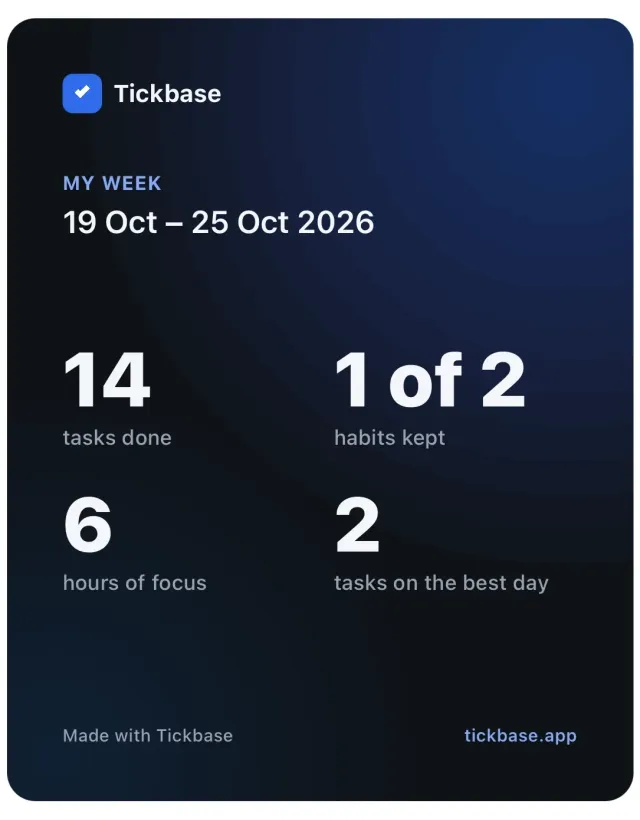
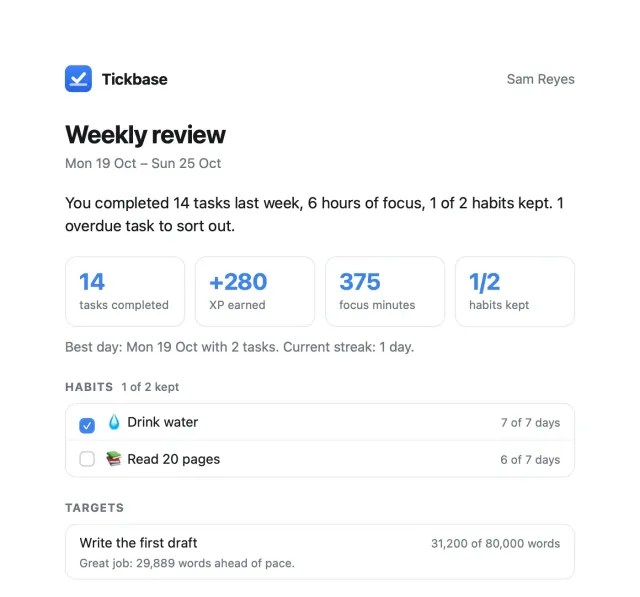
Every Monday at 9am (or whenever you choose) Tickbase opens a short review: what you finished, your habits and focus time, then a guided tidy-up of anything overdue, undated or forgotten. Dismiss it on one device and it stays dismissed on all of them.

Natural-language quick add

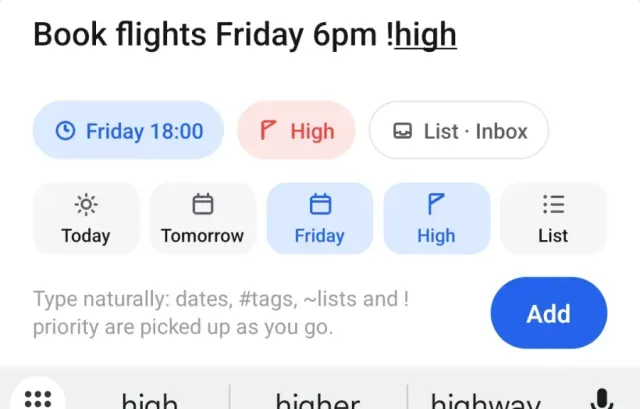
Type “Dentist Thursday 9am !high every 6 months” and Tickbase schedules, prioritises and repeats it. No forms.

Smart lists

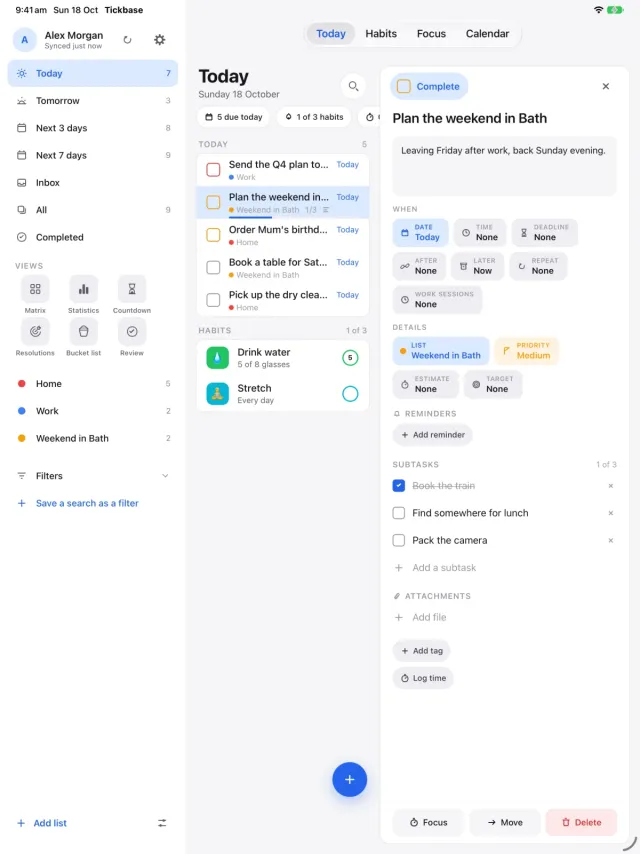
Inbox, Today, Next 7 days, All and Completed. The views you actually use, one keystroke away.

Lists, tags and priorities

Group tasks into colour-coded lists such as Work, Home or Reading, cross-cut them with #tags and four priority levels, and filter by any of them.

Due dates, repeats and reminders

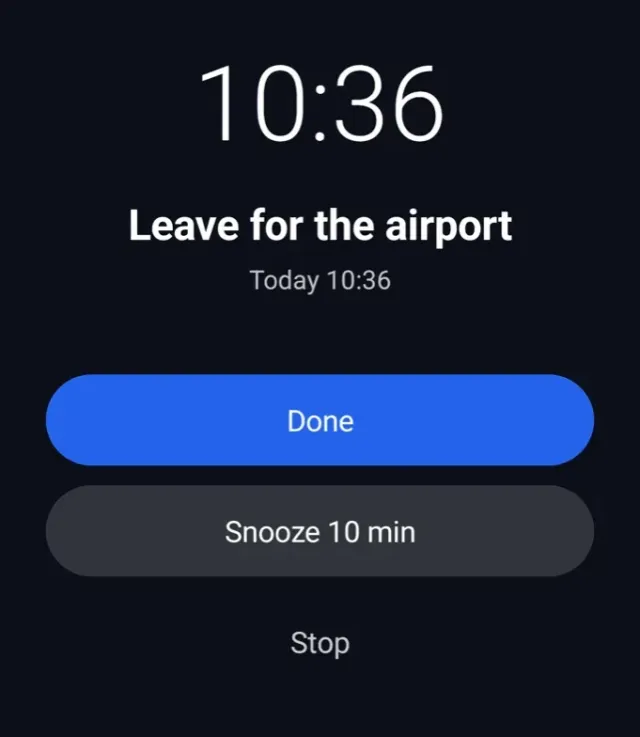
Dates and times, repeats from daily to yearly, and reminders so a task with a time actually nudges you.

Subtasks and notes

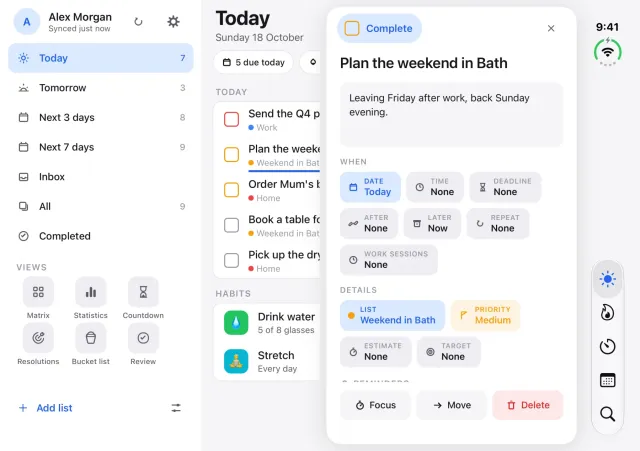
Break a task into a checklist and keep notes alongside it. Progress shows right in the list.

Schedule

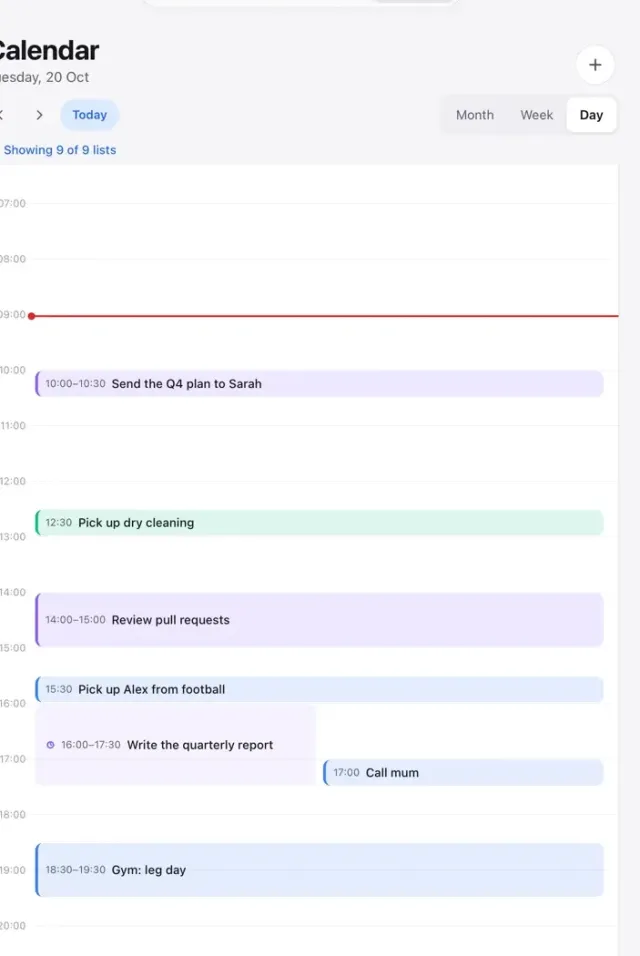
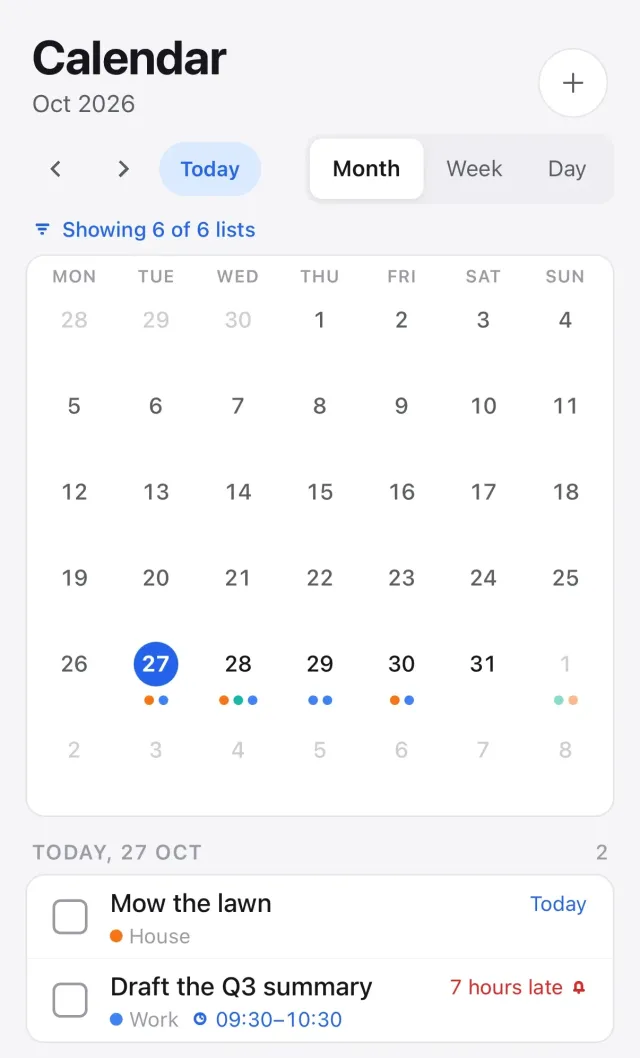
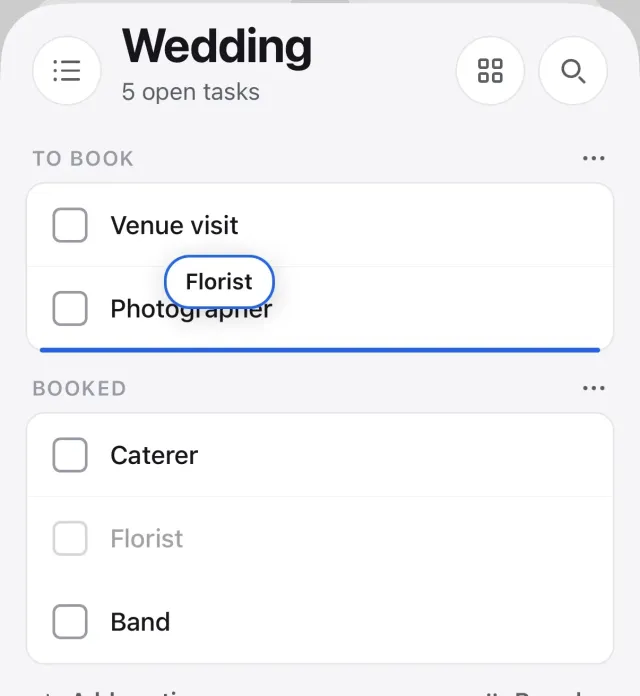
Month and week views of your tasks. Drag a task onto a day to schedule or reschedule it, drag it back to Unscheduled, or click a day to add tasks straight to it.

Focus timer

Pomodoro-style 25-minute intervals with short and long breaks, attached to any task, with per-task and daily and weekly focus statistics.

Matrix and Statistics

An Eisenhower view sorts what's urgent from what's important. Statistics show completions per day and your streaks; Free keeps the last 7 days, Premium shows any range, all time.

Achievements

Badges for streaks, completed tasks, habits, focus hours, turning on strict encryption and importing from another app. Premium adds a “Premium since” badge, and subscribing during the founding period adds a permanent Founder badge. Founders programme →

Multiple reminders and durations

Give a task a start and end time so it takes up real space in Schedule, and set multiple reminders per task (one on Free) with notifications on iOS and Android; browser notifications on web and desktop while the app is open.

Habit tracker

Pick from a library of presets or make your own, set any frequency, and watch streaks and a 12-week heatmap build up. Reminders included.

Countdown

Birthdays, anniversaries, exams, launches and deadlines, with days until and days since. Yearly events roll forward on their own.

Search and keyboard

Press / and find anything across every list, notes and completed tasks included. On web and desktop, add, schedule, prioritise and complete without touching the mouse.

Offline-first, JSON export

Everything is stored on your device first, so you can keep working offline. Download every task, list, tag and note as one JSON file whenever you like. No lock-in.

Bring your TickTick lists over

Export a backup in TickTick, then drop the CSV into Settings → Import. Lists, tasks, due dates, priorities, tags and completed items come across in one go, on Free or Premium.

Light and dark mode

Follows your system, or set it yourself. Calm in both.

Encrypted before it leaves your device

With Premium, every task is encrypted on your device with AES-256 before upload. Our database holds only ciphertext, and a stolen copy of it reveals nothing. No passphrase to remember by default; optional Strict mode adds one. How it works →

New in Tickbase

More than a list, still not a suite

Three small tools that sit next to your tasks. All free, all offline, and none of them uses AI.

Pomodoro focus timer

“Track time and stay focused.”

Attach a 25-minute focus interval to any task, take short and long breaks, let the next round auto-start if you like, and get a notification when the interval ends, with focus statistics per task and per day and week.

Habit tracker

“Develop and maintain good habits.”

Start from a library of health, mind, work and home presets, choose a frequency that fits (every day, chosen weekdays, N times a week, or a daily goal like 8 glasses of water), and follow your streak, best streak, 30-day completion rate and a 12-week heatmap, with reminders so you don't forget.

Countdown

“Capture every important moment.”

Keep birthdays, anniversaries, exams, launches and deadlines in one place with days until and days since; yearly events roll forward automatically, so a birthday simply reads “turns 37”.

Natural language

Just type it the way you'd say it

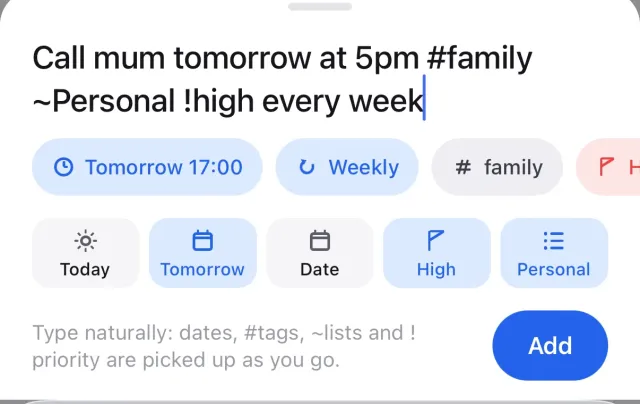
Tickbase parses dates, times, tags, lists, priorities and repeats as you type, and shows you exactly what it understood before you hit enter.

Call mum tomorrow at 5pm #family ~Personal !high every week
Call mum
Tomorrow, 5:00 PM#familyPersonalHigh priorityRepeats weekly
Pay rent on the 1st every month ~Home
Pay rent
1 OctHomeRepeats monthly
Standup weekdays 9:30 ~Work !low
Standup
Mon 7 Sep, 9:30 AMWorkLow priorityRepeats weekdays
Renew passport next friday #errands #waiting
Renew passport
Fri 11 Sep#errands#waiting
#tag adds a tag ~List files it in a list !high !med !low set priority tomorrow, fri 3pm, on the 1st set dates and times every week, weekdays, every 2 weeks set repeats
Encryption

Encrypted before it leaves your device

With Premium, every task, list, tag, habit, countdown and focus session is encrypted on your device with AES-256 before it is uploaded. Our database holds only ciphertext. A stolen copy of the database reveals nothing.

Standard

On by default. No passphrase to remember.

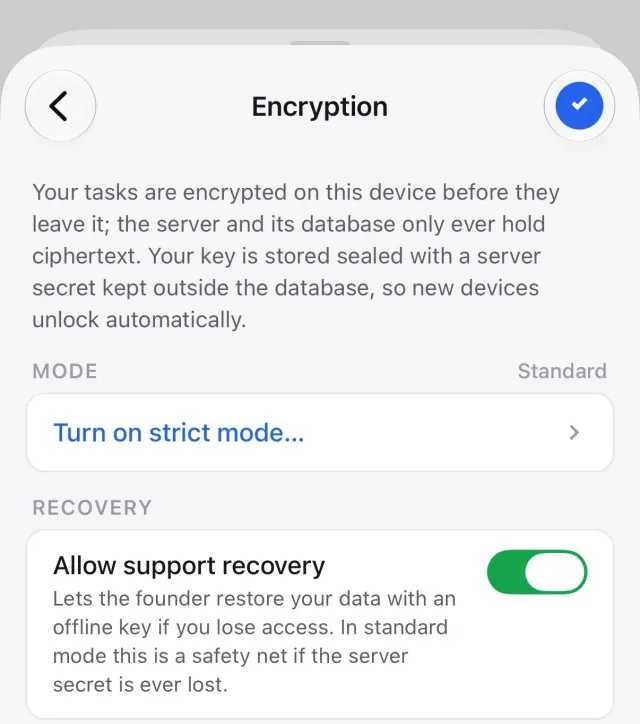
Your account gets its own random key. It is stored sealed, two ways: locked with a secret that is kept outside the database, and separately to an offline recovery key held by the founder. Sign in on a new device and it unlocks; there is nothing to type or lose.

We don't read your data, and the database on its own can't reveal it. The honest caveat: someone holding both the database and that separate secret, or the founder's offline key, could read it. That is the price of "no passphrase", and it is also what lets us give your data back if you ask for help.

Strict mode

Optional. The service cannot read your data at all.

Set a passphrase in Settings → Encryption. Your key is re-sealed with that passphrase (plus a one-time recovery code) and the server deletes its own copy of the seal. From then on the service cannot read your account, and every new device must enter the passphrase.

A separate switch, Allow support recovery, decides whether the founder's offline recovery key is kept. Leave it on and we can still restore access when you ask. Turn it off for zero-knowledge: nobody but you can open the account, and losing both the passphrase and the recovery code loses the data. The app says so before you flip it.

In either mode the service still knows what it needs to run your account: your email and name from Google, Apple or e-mail sign-in, your subscription status, when you sync and how much, and how many encrypted rows of each kind you have. Full details in the privacy policy.

Pricing

Free on one device. $12 a year, flat, for everything else.

Two options, that's all. Free is meant to be enough for most people, for good. Premium is for the things that cost us money to run — sync, backup, and later shared lists — and the limits that keep the free version honest. No tiers, no per-seat pricing, no “AI credits”.

Free

One device, no account.

$0forever

No account needed. No AI, ever.

  • Unlimited tasks; 5 lists; 1 reminder per task
  • Durations, natural-language dates, .ics export
  • Schedule (month + week), Eisenhower matrix, focus timer
  • Statistics for the last 7 days; Cobalt + dark theme
  • 3 habits, 3 countdowns, list templates, achievement badges
  • Works offline, no account; JSON export; TickTick import
Get the app

The price is the price. Full comparison, pricing details and billing FAQ →

Founders: subscribe to Premium on or before [FOUNDER CUTOFF DATE] and you earn a permanent Founder badge, your “Premium since” date is recorded, and you hear about any pricing change before anyone else. How the Founders programme works →

Compare

Tickbase vs TickTick, Todoist and Things

If you like the shape of these apps but not their direction, Tickbase is the same idea with a flat price and no AI. Here's the honest comparison, including what we haven't built yet.

Feature and price comparison between Tickbase, TickTick, Todoist and Things 3
TickbaseTickTickTodoistThings 3
Price for sync across devices$12/year, flatPremium: $49.99/yearPro: about $48/year ($4/month billed yearly)One-time purchase per platform (about $50 Mac + $10 iPhone + $20 iPad); no subscription
PlatformsWeb, Mac, Windows, Linux, iOS, AndroidWeb, Mac, Windows, Linux, iOS, AndroidWeb, Mac, Windows, Linux, iOS, AndroidMac, iPhone, iPad, Apple Watch only
AI featuresNone, ever✓ Included in Premium✓ AI assistant in paid plansNone
Free versionOne device, no account needed; unlimited tasks, 5 listsFree tier with limitsFree tier (5 projects)None (paid per platform)
Free tier tasksUnlimited99 per list300 active tasks per projectn/a
Resolutions (yearly goals with automatic weekly milestones)
Weekly review✓ Guided, scheduled, synced across devices
Habit tracker
Pomodoro / focus timer
Countdown
Calendar view✓ Month and week✓ Calendar layout in ProUpcoming list; no calendar grid
Eisenhower matrix✓ Premium
Natural-language quick add✓ Dates only
Import from other appsTickTick, Todoist, Things, Apple Reminders, Microsoft To DoTodoist, Wunderlist and othersTemplates and CSVApple Reminders
Export your dataJSON, any time, one clickSee TickTick's documentationCSV per projectCopy as text
Sign in withGoogle, Apple, or an e-mail code. No passwords.Email and password, Google, Apple and othersEmail and password, Google, Apple, FacebookThings Cloud account (email and password)
Encrypted at rest with per-user keys✓ Encrypted on your device; optional Strict mode
Ads and third-party trackingNoneSee TickTick's privacy policySee Todoist's privacy policySee Cultured Code's privacy policy
Independently builtYes, Caesoose Studios (UK)✓ Cultured Code (Germany)
Shared listsComing soon · only the sharer needs Premium✓ Yes✓ Yes
Comments and assigneesComing soon✓ Yes✓ Yes
Email-to-taskComing soon✓ Yes✓ Yes✓ Mail to Things
Slack and browser extensionsComing soon✓ Yes✓ Yes
Calendar feed (subscribe in Google or Apple Calendar)Coming soon✓ Yes✓ Yes✓ Shows calendar events inside Things

Competitor details are based on their public pricing pages at the time of writing and may change; check ticktick.com, todoist.com and culturedcode.com for current information. All three are fine apps with more collaboration features than Tickbase has today. Tickbase is for people who want a calm, private list at a flat price, and the rows marked “coming soon” are on the roadmap.

Roadmap

What's coming later

These are on the roadmap, not promises with dates. Tickbase ships when things are ready, and never with AI.

Shared lists

Share a list with a partner or teammate.

Calendar feed (ICS)

Subscribe to your tasks from any calendar app.

Widgets

Today at a glance on your home screen.

Siri and Shortcuts

Add tasks by voice or automation on Apple devices.

Email-to-task and more imports

Forward an email to make a task; import from Todoist. TickTick import is already in.

About

Made in Britain, by one person who wanted a better list

Tickbase is designed, built and run in the United Kingdom by Caesoose Studios, an independent studio, not a venture-funded company chasing growth. That shapes everything: the flat price, the absence of AI and ads, and how seriously your data is treated.

British-built, British-run

Written in the UK and operated under UK data-protection law (UK GDPR), with the Information Commissioner's Office as the regulator you can turn to. Support comes from the person who wrote the code, not a ticket queue.

We can't read your tasks

Everything you sync is encrypted on your device before upload; our servers store only ciphertext and nobody at Tickbase reads it. By default a sealed offline recovery key exists so we can hand your data back if you ask. Turn on strict mode and even that goes: only you can open your account. How the encryption works.

Independent, and staying that way

No investors, no data brokers, no "AI credits". Tickbase is paid for by its subscribers alone, so the only person it has to please is you. Questions, ideas or complaints go straight to hello@tickbase.app.

FAQ

Questions people ask

Is there any AI in Tickbase?

No, and there never will be. No assistants, no summaries, no auto-generated subtasks, no “AI credits” tier. Natural-language quick add is plain deterministic parsing that runs on your device; it doesn't send your text anywhere.

Who has to pay when lists can be shared?

Only the person who shares. Anything that touches our servers — sync, backup, and shared lists when they arrive — is Premium, because that is what the $12 pays for. But if a Premium user shares a list with you, you use it for free: the owner covers the server cost for the list, and everyone they invite stays on whatever plan they already have. The same rule will apply to every collaboration feature we add.

What happens if I stop paying for Premium?

Tickbase goes back to the free version. Nothing is deleted: your tasks stay on each device you've used, you can keep using Tickbase on one of them with the free limits, and you can export everything as JSON at any point. If you resubscribe later, sync picks up again.

How do I move over from TickTick?

In TickTick, export a backup (it's a CSV). In Tickbase, open Settings → Import and drop the file in. Lists, tasks, due dates, priorities, tags, notes and completed items come across. It works on Free without an account; if you have more than 5 lists they are all imported, and the free limit only applies when you create new ones.

Can I export my data?

Yes. Settings → Export gives you a single JSON file with every task, list, tag, note and completion, whether you're on Free or Premium. There's no waiting period and no “contact support” step.

Is Tickbase open source?

Not currently. Tickbase is independently built and self-funded, and the export format is documented so your data is never locked in. If that changes we'll say so here.

Do you track me?

No. There are no third-party analytics, no ad networks and no tracking pixels in the app or on this website. If you use Premium, we store the account details needed to run it and your tasks, which are encrypted on your device before upload, and nothing else. See the privacy policy for the full picture.

Can you read my tasks?

We don't. With Premium, everything is encrypted on your device with AES-256 before it is uploaded; our database holds only ciphertext, and a copy of the database on its own reveals nothing. In the default Standard mode your key is stored sealed with a secret kept outside the database, and separately to an offline recovery key held by the founder. So, honestly: someone with the database and that secret, or the founder's offline key, could read your data. That is what lets you sign in on a new device with no passphrase, and what lets us restore your data if you ask.

If you want the stronger answer, turn on Strict mode: the service then cannot read your account at all. Switch off Allow support recovery as well and nobody but you can. See how encryption works.

What if I forget my Strict mode passphrase?

When you turned Strict mode on, Tickbase gave you a one-time recovery code. Enter it on a new device and choose a new passphrase. If you have lost the recovery code too, it depends on the Allow support recovery switch. Left on: email hello@tickbase.app and the founder can use the offline recovery key to reset your passphrase (your data is untouched) or hand your data back as a plain JSON file. Turned off: nobody can recover the account, and the data is gone. The app warns you about exactly this before you turn it off. Devices that are already unlocked keep working until you lock them.

Which platforms does Tickbase run on?

Web (as an installable PWA), macOS, Windows and Linux desktop apps, and iOS and Android. The free version runs on any one of them; Premium connects all of them. See the download page.

Does it work offline?

Yes, completely. Tickbase stores everything on your device first, so you can add, edit and complete tasks with no connection. With Premium, changes are merged when you're back online.

What's the refund policy?

14 days, no questions asked. Email hello@tickbase.app if you bought on the web; for App Store or Google Play purchases, refunds go through Apple or Google and we'll point you to the right place. Details on the pricing page.

Ready when you are

Open the web app and start typing. No account, no card, no onboarding tour.