Today
The day's tasks and events, then its habits, with a tick on each row. A tick completes the task, or counts the habit, and syncs it, with the app closed. Habits can be turned off in Edit Widget.
Everything Tickbase does, plus what only your iPhone and iPad can: Siri that adds, ticks off and finds your tasks, widgets on your home screen and lock screen, reminders you answer from the notification, Face ID, your calendar beside your tasks, and room to spread out on iPad and iPhone Duo.
Free, with sync on every plan. iOS 16.4 or later.
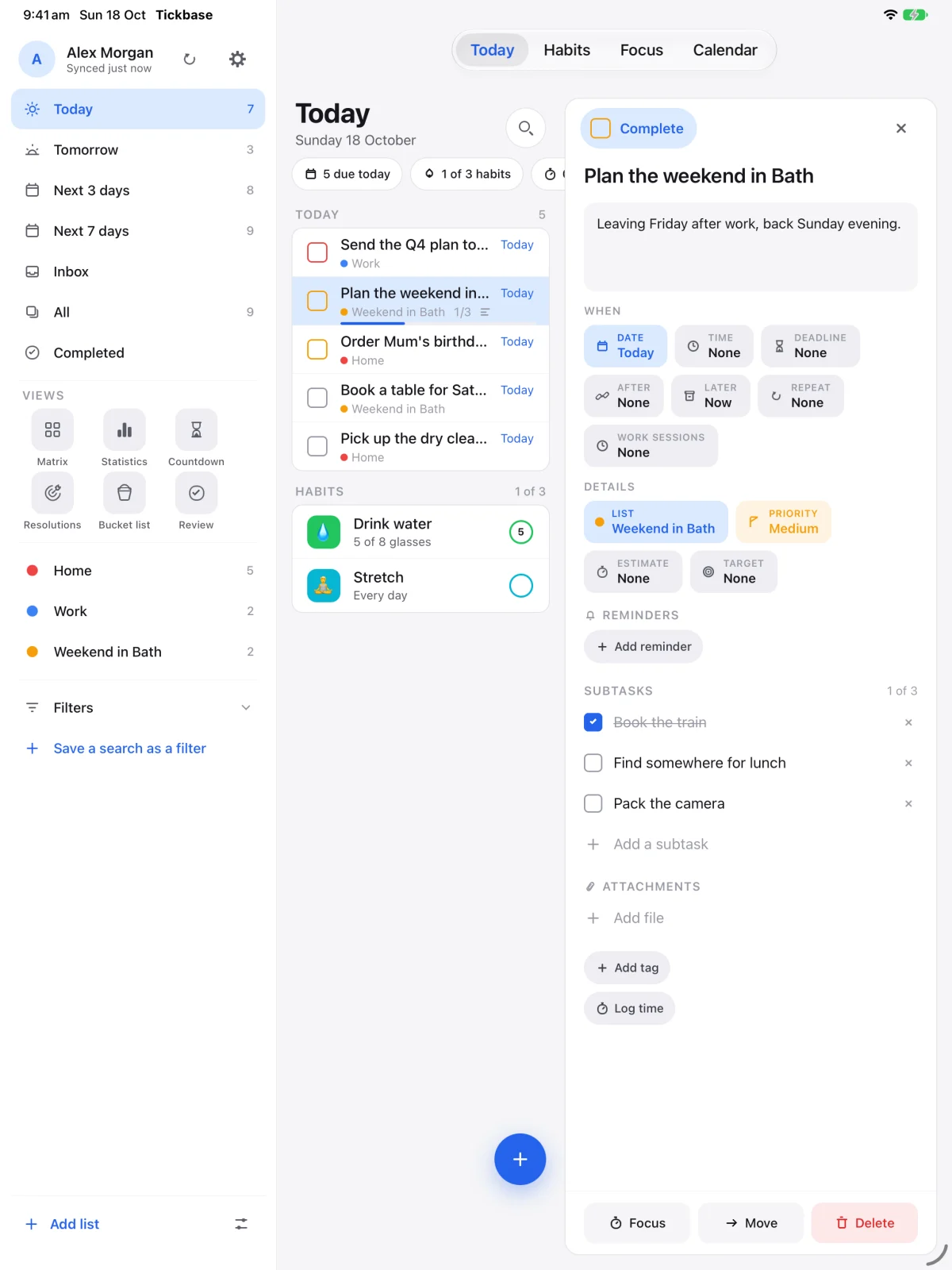
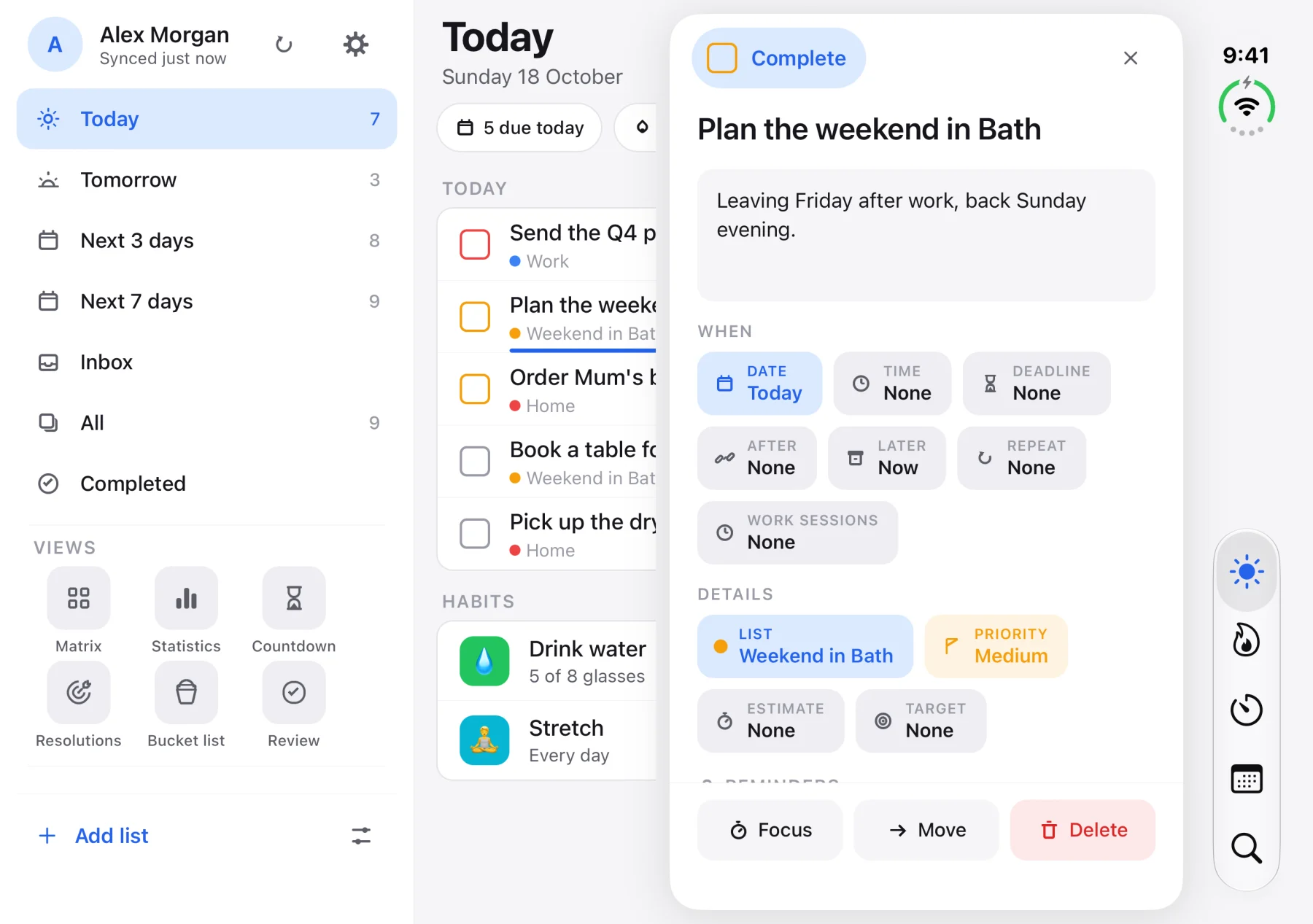
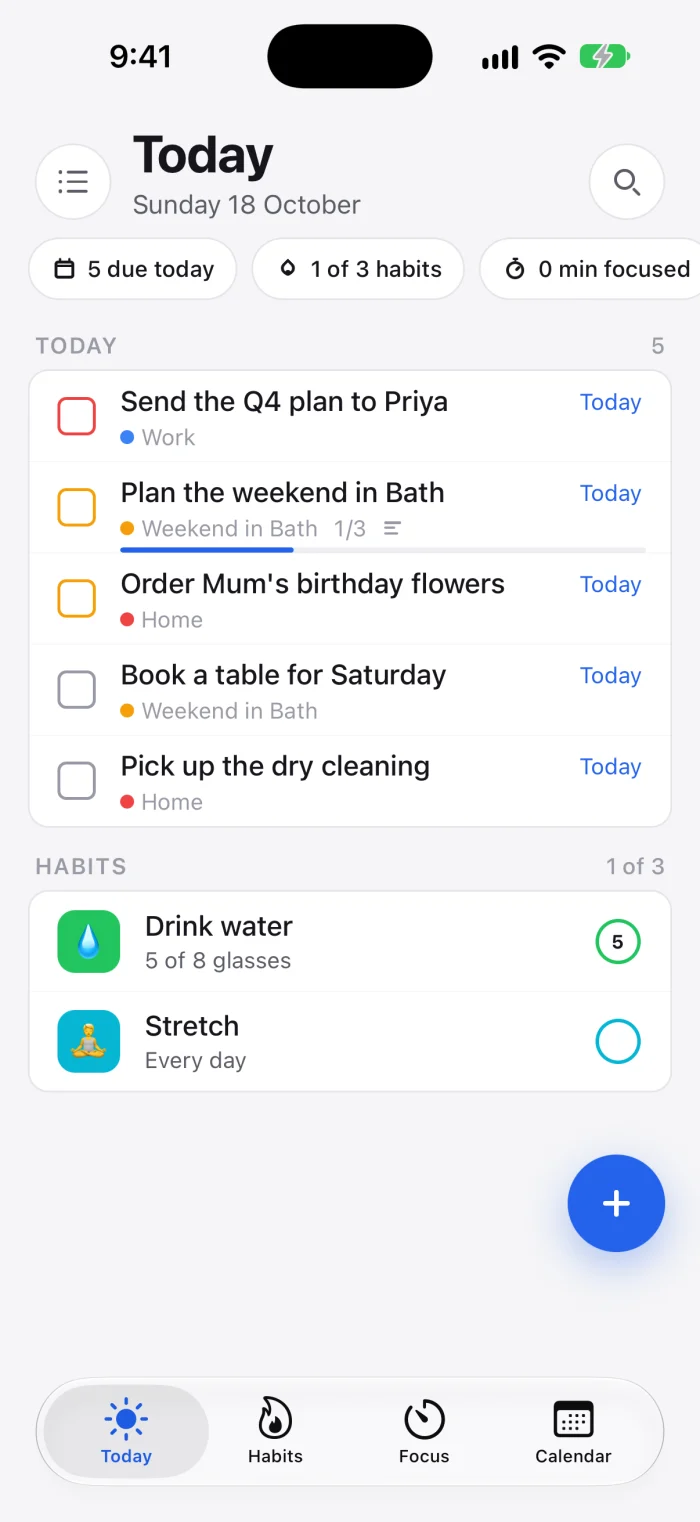
Open iPhone Duo out and Tickbase spreads across both halves: your lists on the left, the day in the middle, and the task you open in a window of its own on the right of the fold, so the list you are working through stays in view.
Close it with a task open and the task carries on, full screen. Search sits at the foot of the tab rail, and a tap on an empty part of the list puts the task away.
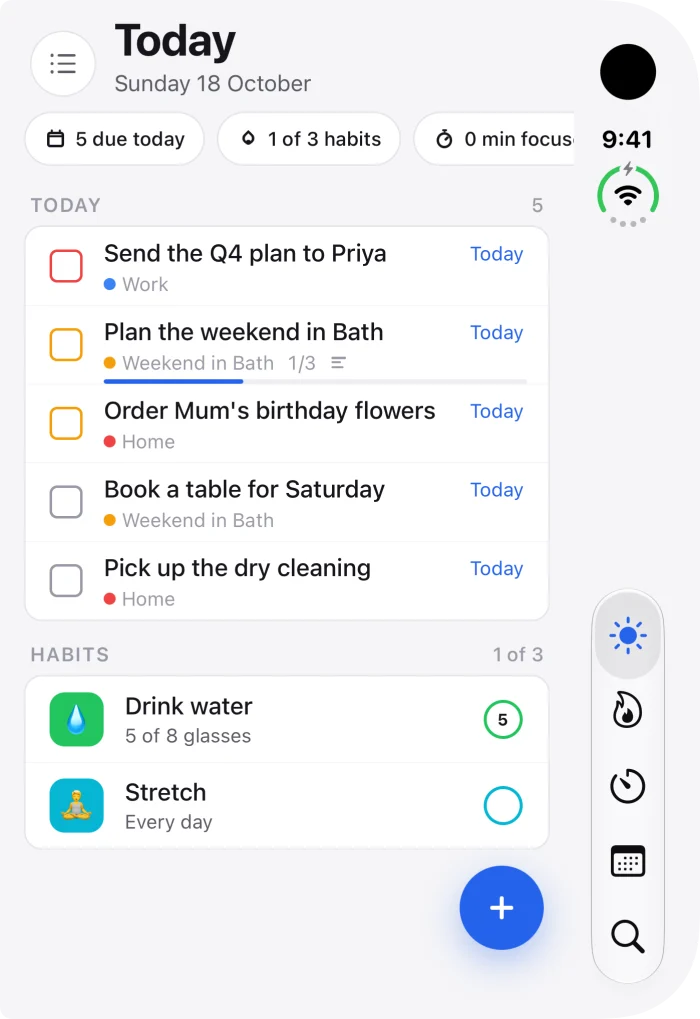
The same app, laid out for the bigger screen. Your lists, filters and views stay open down the side, so moving between them is one tap.
On a 13-inch iPad, or any iPad on its side, a task opens beside the list instead of over it: change its date, add a step, tick it off, and the list is still there. Tap an empty part of the list to put the task away.
Widgets need iOS 17, and are on Android as well. How to add one.
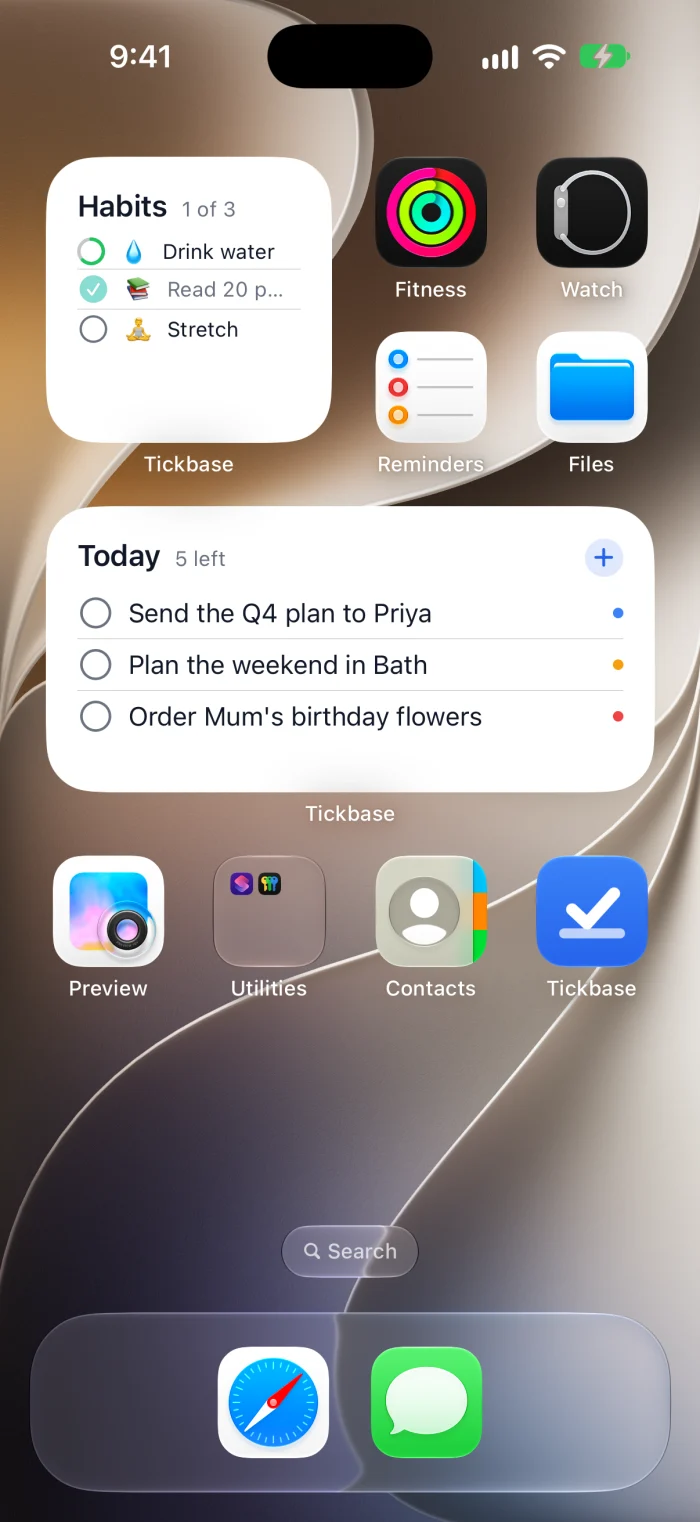
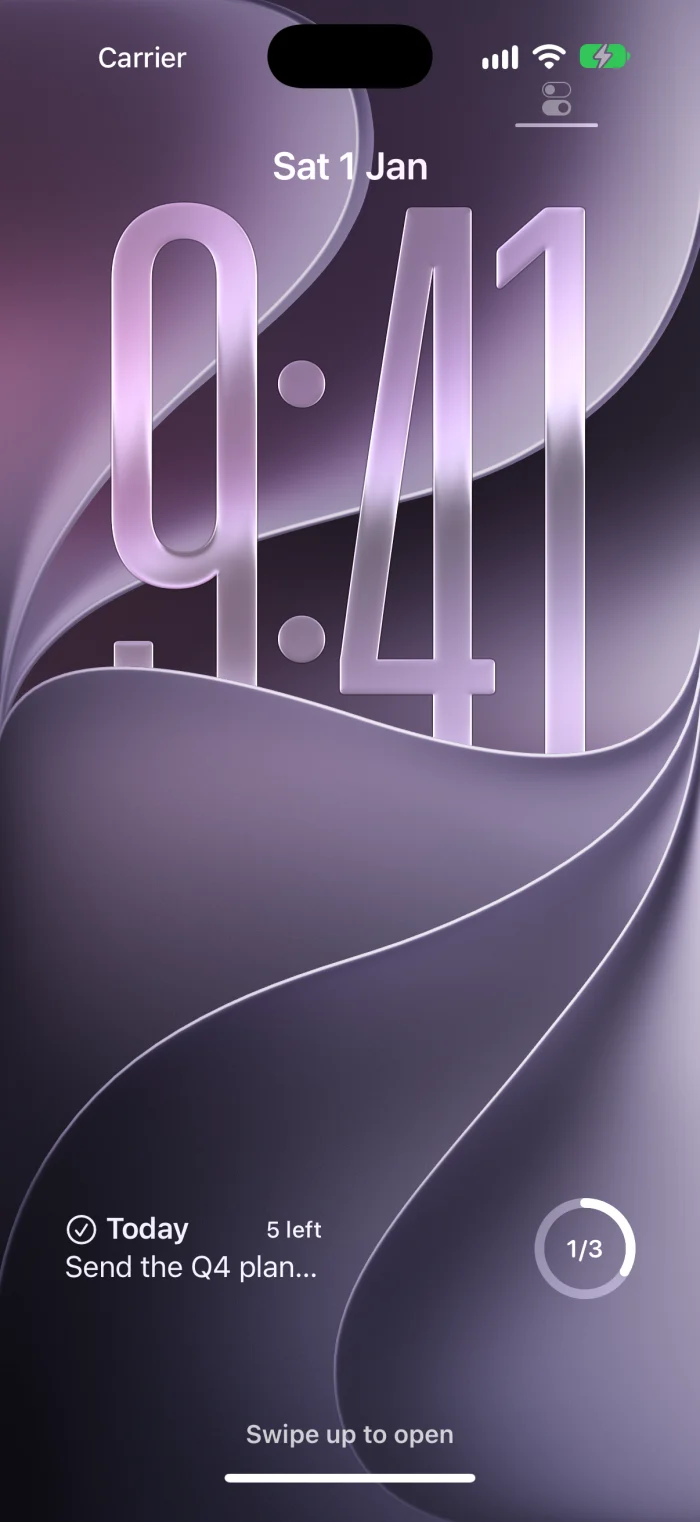
Say “Add a task in Tickbase” and tell Siri what it is. Dates, times and lists come through as they would in the add box, so “pay the electricity bill tomorrow at 9am to my Home list” lands in Home, with its reminder, without opening the app.
Ask what's on today, what's next, or how long until a countdown, and Siri answers from your tasks. Ask whether you did something, and it tells you the day: “Yes. ‘Finish the book club novel’ was done on 19 October.”
Tick things off the way you remember them: “the library thing” is enough, even said a little wrong. If more than one task fits, Siri lists them and asks which; either way it says the task's name and waits for your yes.
Every phrase Siri knows, and what each one does
You decide what Siri may do, on each iPhone: add and tick off tasks, see them, both or neither. Letting Siri see your tasks keeps a readable copy of their titles, lists and dates, your countdowns, resolutions and bucket list, on the phone for it, and shows your tasks in search; turn that off and the copy is deleted and your tasks leave search at once. Siri never sees your encryption keys: Tickbase encrypts what you change on your iPhone before sending it. Notes, subtasks and comments are never shared, and nothing in a locked list is. If you use strict encryption, both start off. What you say to Siri is handled by Apple. Needs Tickbase 1.4 and iOS 17. How to use it.
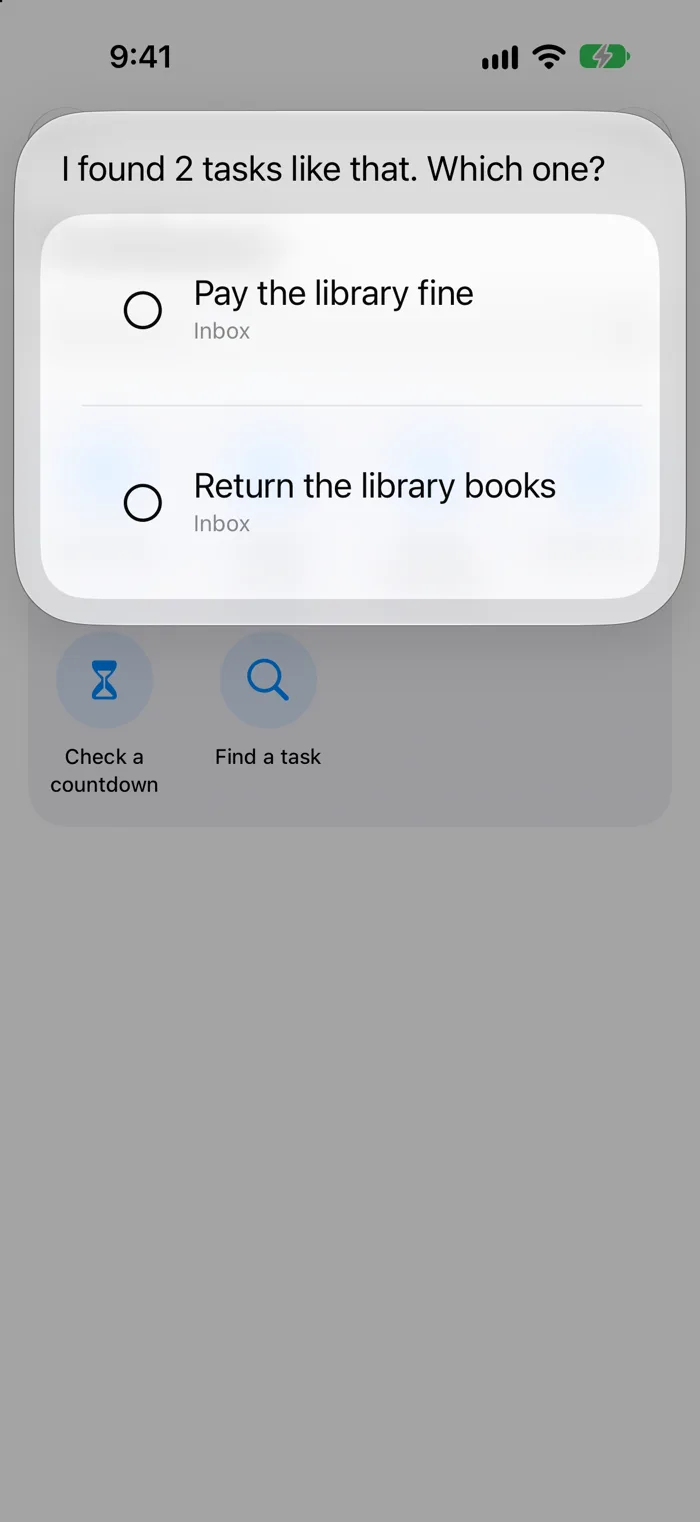
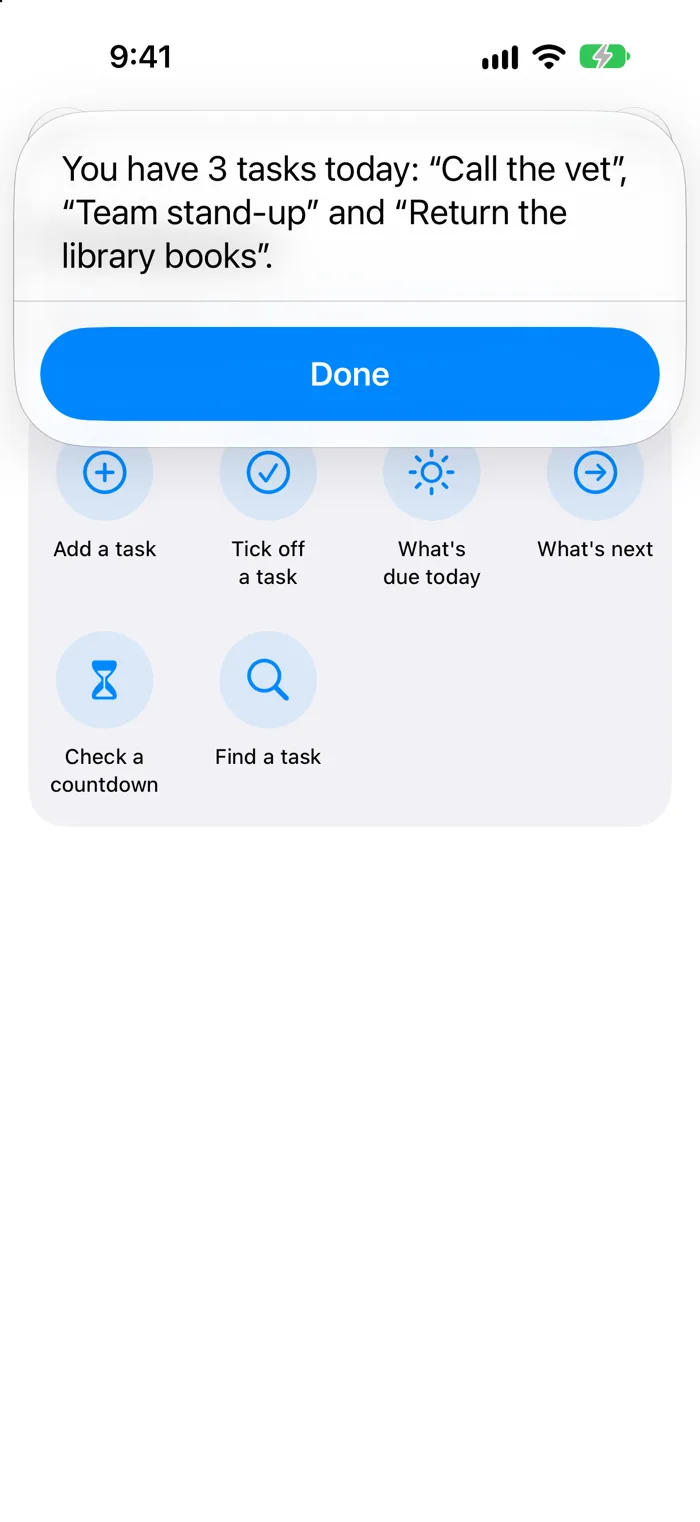
Each of these works as soon as Tickbase 1.4 is on your iPhone, with nothing to set up. Say any of the phrases in a row; they all do the same thing.
With Apple Intelligence on iOS 27, you don't need a set phrase. Say it the way you'd say it to a person, and Siri works out which task you mean, even from a rough description. It names the task and waits for your yes before ticking off or deleting anything.
Needs iOS 27 with Apple Intelligence on an iPhone that supports it. If you also use Apple's Reminders, add “in Tickbase” so Siri knows which one you mean. On iOS 17 to 26, use the phrases below.
Siri asks what the task is. Say it as you'd type it, with a date, a time or a list: “call the bank tomorrow at 5pm to my Work list”.
Siri asks which task. Describe it however you remember it; if more than one fits, Siri asks which. It says the task's name and ticks it off when you say yes.
Ask what you want to know: “did I finish the book?” Siri says whether it's done, and on which day, or when it's due.
How many tasks are due today, their names, earliest first, and how many are overdue.
Your next task with a date, and when it's due: “Next is ‘Call the vet’, today at 10:00 pm.”
How many tasks you finished today, yesterday, this or last week, month or year, and the latest of them: “You finished 23 tasks last week.”
The days left until a countdown. With more than one, Siri asks which; on iOS 27, just name it: “how long until the wedding anniversary?”
Siri asks which resolution, if you have more than one, then how much in its own unit (“How many books read?”), and tells you where it stands.
How far you are, and where your pace lands by the end date.
Siri asks what you'd like to do some day: “see the northern lights”.
On iOS 17 to 26, Apple asks for the app's name in each phrase, so Siri knows which app you mean. To use words of your own, open the Shortcuts app, find Tickbase, and give any of these a phrase (“Hey Siri, groceries”), or put one on your Home Screen or the Action Button. Your tasks also show up when you swipe down on the Home Screen and search. More about Siri.
Three buttons, each one press. Add a task opens Tickbase straight at the add box, over whatever you were doing. Start focus starts the focus timer on the first task in Today. I'm away opens quiet mode, ready to say until when. Put them wherever you reach for most. They need iOS 18, and Start focus and I'm away need Tickbase 1.4.2.
Swipe down from the top-right corner, touch and hold an empty space, tap Add a Control, and choose Add a task, Start focus or I'm away under Tickbase.
Touch and hold the lock screen, tap Customise, then Lock Screen. Remove the torch or camera button at the bottom, tap the space it leaves, and choose one of Tickbase's buttons.
On an iPhone with an Action Button, go to Settings → Action Button, choose Controls, then one of Tickbase's buttons. Or choose Shortcut and pick any Tickbase action from the list above, like What's due today.
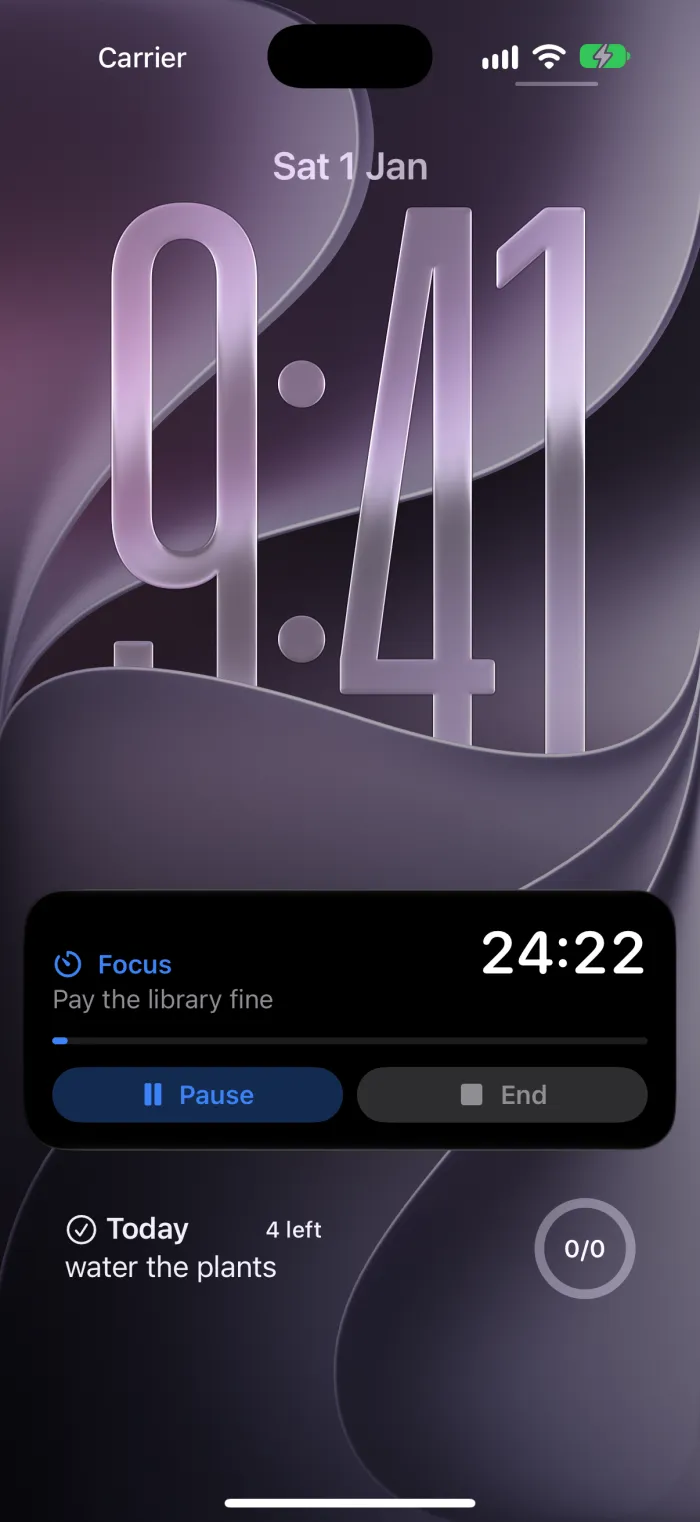
While the focus timer runs, it has a place of its own on the lock screen and in the Dynamic Island, with Pause and End: nothing to add.
When something changes on another device, your phone gets a silent nudge and sets up its reminders itself. The nudge carries no task names: we don't read them. How it works.
Lock Tickbase, or only the lists that need it. What is on screen is hidden in the app switcher while it is locked. About locks.
Appointments from your iPhone's calendars sit beside your tasks, and your dated tasks can appear in Apple Calendar, kept in step as they change.
Import them straight from the phone: lists, dates, repeats, notes and subtasks. Or come from TickTick, Todoist, Things, Microsoft To Do or Any.do.
Choose what the number on the app icon counts: Today, overdue, the Inbox or everything, so it matches what you would see if you opened the app.
Everything you sync is encrypted on your device before it is uploaded, and we don't read it. We run no AI, no ads and no tracking, and Siri sees your tasks only if you let it. How encryption works.
Any iPhone or iPad on iOS 16.4 or later. The widgets, Siri and the focus timer on the lock screen need iOS 17, and the Add a task button iOS 18. Siri, the focus timer on the lock screen and in the Dynamic Island, the Add a task button, iPhone Duo support and the views beside the menu on iPad are new in Tickbase 1.4, so update the app to get them.
Only if you let it, in Settings → Siri & Apple Intelligence, and only on that iPhone. It then sees task titles, their lists and dates, your countdowns, resolutions and bucket list, never notes, subtasks, comments or anything in a locked list. Turn it off and Tickbase deletes the copy it kept for Siri straight away. With strict encryption it starts off. More about Siri.
Not on iOS 27 with Apple Intelligence: ask in your own words, like “tick off the passport one”, and add “in Tickbase” only if you also use Apple's Reminders. On iOS 17 to 26, yes: Apple asks for the app's name in what you say. You can also make your own phrase in the Shortcuts app with any of Tickbase's actions.
The app, the widgets and sync between your devices are free. Premium, $12 a year, is one subscription for every device you use. See pricing.
No. Your tasks stay on the device until you sign in. Sign in, free, to have them on your other devices, the web app and your computer included.
Free for iPhone and iPad, with sync on every plan.