Refer a friend
Share Tickbase with someone. They get four weeks of Premium free instead of two. You earn credits that unlock app icons nobody can buy, and nothing is ever taken back.
Three steps, nothing to sign up for
1. Find your link
Every account already has a referral code and a link. It is under Settings → Account → Refer a friend, on the web app, the desktop app, iPhone and Android.
2. Share it
Send the link however you like. A friend who opens it and signs in has your code applied for them. Or they can type your code into the same Settings page within 30 days of making their account.
3. Earn credits
One credit when your friend is still using Tickbase a week later. Five credits when they go Premium. The page shows how many people signed up, stayed and subscribed.
28 days of Premium, no card
Every new account gets a 14-day Premium trial. An account that arrives through a referral gets 28 days, counted from the day they signed up. That is long enough to plan a month by the hour, keep a few habits going and see whether the app has earned its $12 a year. If they do nothing at the end, Tickbase goes back to Free on every device and nothing is deleted.
Icons you earn, and keep
Credits unlock app icons that are not for sale, each with a matching achievement. Once earned, an icon stays for as long as your account exists, on Free or Premium. Two more icons mark time rather than referrals: Sapphire after a year with Tickbase, Emerald after three.
 Bronze3 credits
 Silver15 credits
 Platinum40 credits
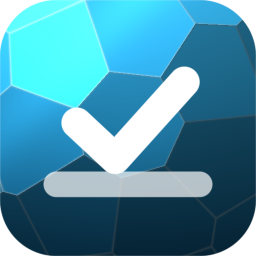 SapphireOne year with Tickbase
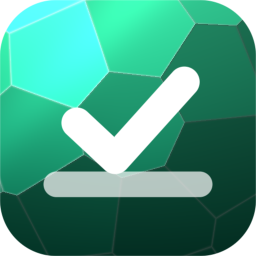 EmeraldThree years
Three friends who stay, or one who goes Premium, is Bronze. We chose icons over free months on purpose: a month of Premium given away is a plan that quietly ends one day, and we would rather never take anything back from the people who brought others in.
Questions about referrals
Where is my referral code?
In Settings → Account → Refer a friend, on the web app, the desktop app, iPhone and Android. Every account has one; there is nothing to apply for. The same place shows how many people have used it, how many stayed, how many went Premium, and your credits.
What does my friend get?
A 28-day Premium trial instead of the usual 14, with no card needed. The longer trial starts from the day they signed up, so it makes no difference whether they open your link first or enter your code a few days later.
What do I get?
Credits. One when a friend is still using Tickbase a week after signing up, and five when a friend goes Premium. Credits unlock app icons that cannot be bought — Bronze at 3, Silver at 15, Platinum at 40 — and each icon comes with an achievement. They are yours for good, whatever plan you are on.
What counts as “still using it”?
A week after signing up, your friend opens Tickbase and has at least ten tasks in their account. That is all. There is nothing either of you has to do on purpose, and it happens whether they are on Free or Premium.
Does a friend who stays on Free earn me anything?
Yes: the one credit for staying. We would rather people share Tickbase because they like it than because a friend has to pay for the referral to count. If they do go Premium later, the five credits arrive then, however long it takes.
Why icons and not free months of Premium?
Because we would rather never take anything back. Tickbase is $12 a year from a small studio, and paying referrers in Premium time means a plan that quietly ends one day. An icon you earned is kept for as long as the account exists, and it says something a free month cannot.
Can I refer myself, or use a code after signing up?
You cannot use your own code. A friend’s code can be entered within 30 days of making an account, in the same Settings page, and an account names one referrer, once. After that the code field simply goes away.
Is there a limit?
No. Refer as many people as you like. Platinum is the last icon, but the credits and the counts keep going.
Your link is waiting
Open Settings → Account → Refer a friend on any device. If you don't have an account yet, signing in makes one, with your own 14-day trial.